NFL IPTV: How to Watch Every Game Live in 4K
NFL IPTV means you watch live NFL games over your internet connection instead of through a cable box or satellite dish. You install an IPTV app on your TV, streaming stick or phone, enter your login, and the games load like any other channel. Setup usually takes under 15 minutes.
Last updated: August 13, 2026
How does NFL coverage actually work?
NFL broadcast rights in the United States are split across several networks, which is why no single traditional subscription covers everything. Understanding the split makes it clear why most fans end up paying for more than one service.
| Game window | Typical broadcaster | Usual cost |
|---|---|---|
| Sunday afternoon (local) | CBS / FOX | included with cable or antenna |
| Sunday Night Football | NBC | cable or Peacock |
| Monday Night Football | ESPN / ABC | cable or ESPN+ |
| Thursday Night Football | Amazon Prime Video | Prime subscription |
| Out-of-market Sunday games | NFL Sunday Ticket | $300–$400 per season |
| Playoffs | mixed networks | varies |
Add these together and a fan who wants every game is often looking at $150 or more per month during the season, spread across cable plus two or three streaming services. A single IPTV subscription replaces that stack with one login and one price.
NFL IPTV vs Sunday Ticket vs cable
The practical difference is bundling. IPTV puts the sports channels in one app instead of splitting them across separate subscriptions with separate logins and separate bills.
| Cable + add-ons | NFL Sunday Ticket | USAStreamNow | |
|---|---|---|---|
| Cost per month | $150–$200 | $25–$35 (season only) | from $5.42 |
| Contract | often 12–24 months | season commitment | none |
| Equipment rental | yes | no | no |
| Out-of-market games | limited | yes | yes |
| Other sports included | partial | no | NBA, UFC, MLB, NHL |
| Setup time | technician visit | same day | under 15 minutes |
Third-party pricing is approximate as of August 2026 and changes frequently — check current rates directly with each provider.
Setting up NFL IPTV step by step
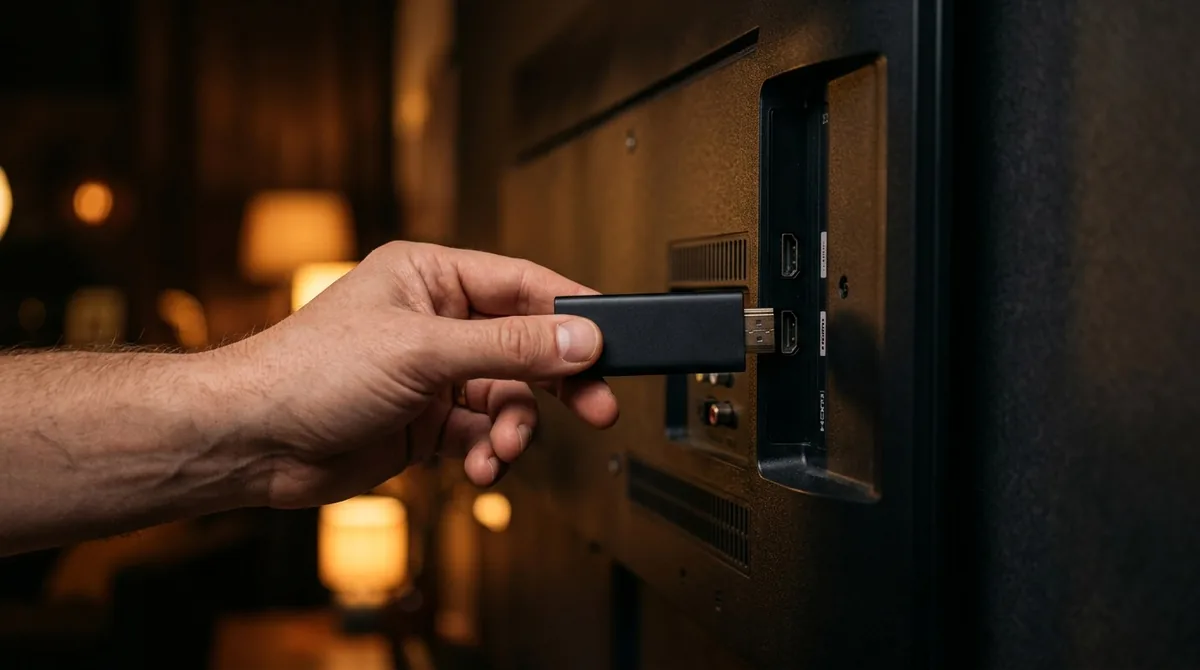
The process is the same regardless of which device you plan to watch on.
- Choose a plan. Monthly, six-month or annual access.
- Receive your login. The playlist URL arrives by email, usually within minutes.
- Install an IPTV app — IPTV Smarters Pro, TiviMate or Smart IPTV depending on device.
- Enter the playlist URL and restart the app.
- Build a favorites list for the sports channels so you find games quickly on Sunday.
Device-specific walkthroughs are available for Firestick and Smart TV, and you can compare every plan on our IPTV subscription plans page.
Which devices work best for NFL?
Any internet-connected device works, but there are real differences in stability during high-traffic game windows.
| Device | Suitability for live sports | Note |
|---|---|---|
| Smart TV (2016 or newer) | Excellent | App installs directly, no extra hardware |
| Fire TV Stick 4K | Excellent | Cheapest way to upgrade an older TV |
| Android TV box | Excellent | Widest app selection |
| Apple TV | Very good | Smooth playback, fewer app options |
| Phone or tablet | Good | Best as a second screen for RedZone |
| PC or laptop | Good | Plays through VLC or a browser |
For the main TV, a wired ethernet connection beats Wi-Fi every time. Football is the content where a weak connection shows up first, because fast camera pans change most of the frame at once.
What internet speed do you need?
These figures are per simultaneous stream.
| Quality | Recommended speed | Data per game (approx.) |
|---|---|---|
| HD (720p) | 10 Mbps or more | about 2 GB |
| Full HD (1080p) | 15 Mbps or more | 3–5 GB |
| 4K UHD | 25 Mbps or more | 7–10 GB |
Fixing buffering on game day
Sunday afternoon is the single heaviest traffic window of the American streaming week. Four fixes resolve the overwhelming majority of problems.
- Use ethernet instead of Wi-Fi. By far the most common cause of stuttering.
- Clear the app cache. Settings, then Applications, then Manage Installed Apps.
- Close background apps. Streaming sticks have limited memory.
- Check for other traffic. A game console updating in another room competes for bandwidth.
If problems persist, test at a quieter time to establish whether the issue is your connection or the stream itself.
Watching NFL games out of market
Out-of-market coverage is the reason most fans look beyond basic cable in the first place. If you live in New York but follow a West Coast team, local broadcasts will rarely carry your games.
Because IPTV delivers channels over the internet rather than through a regional cable headend, regional blackout patterns work differently than they do with a traditional provider. In practice this means the national sports channels are available regardless of which state you are watching from.
Watching multiple games at once
Sunday afternoons often have several games running in parallel, and many fans want more than one on screen. The number of simultaneous streams depends on your plan — a standard subscription supports one stream at a time.
A common setup is the main game on the television with a second game on a tablet or phone. Both use the same login. If you want two televisions running different games at the same time, you will need a plan that allows additional connections.
Cutting the cord for football: what actually changes
Most households that drop cable for football do it for one of three reasons: the monthly bill, the equipment rental, or the contract. Understanding which of those matters most to you makes the decision straightforward.
| What you leave behind | What replaces it |
|---|---|
| Cable box rental | An app on a device you already own |
| 12 to 24 month contract | Month-to-month or prepaid access |
| Installation appointment | Setup in under 15 minutes |
| Regional sports fees | Included in the base price |
| Separate streaming add-ons | One login for all sports channels |
| Early termination fees | Nothing to cancel |
The practical shift is that the cost becomes predictable. There is no promotional rate that doubles after twelve months, no equipment fee appearing on the bill, and no penalty for stopping in the offseason — every IPTV subscription is a flat prepaid price for the period you choose.
Football on a second screen
Multi-screen viewing has become normal for football, particularly on Sundays when several games run in parallel. The most common arrangement is the main game on the television and a second game on a tablet.
Both screens use the same login credentials. What determines whether they can run at the same time is the number of simultaneous connections on your plan. A standard subscription is built for one stream, so watching two games at once requires an upgraded plan.
Worth knowing: a tablet streaming in HD uses noticeably less bandwidth than a 4K television. If your connection is marginal, running the second screen at a lower quality setting keeps the main broadcast stable.
Watching football away from home
The subscription is tied to your account rather than your address, so it travels. It works at a second home, on a hotel Wi-Fi network, or over a phone hotspot while traveling.
The one recurring obstacle is hotel networks that require sign-in through a browser page. Streaming sticks often cannot display that login screen. The usual workaround is to connect the stick to a personal hotspot from your phone, which bypasses the hotel portal entirely.
On mobile data, a single game in Full HD consumes roughly three to five gigabytes. Dropping the quality setting to HD roughly halves that figure without a dramatic difference on a small screen.
Getting ready before kickoff
Most game-day frustration comes from setting things up minutes before kickoff rather than the day before. A short checklist during the week removes almost all of it.
- Test midweek and again on Sunday. A stream that runs cleanly on Tuesday morning says very little about Sunday at 1pm.
- Build your favorites list so you are not scrolling a full channel list at kickoff.
- Check the program guide is populated. An empty guide usually means the EPG URL was never saved.
- Restart the streaming device. Sticks that have run for weeks accumulate memory issues.
- Confirm your second screen works if you plan to follow more than one game.
Five minutes on a Saturday is the difference between watching the opening drive and troubleshooting through it.
How live sports differ from on-demand streaming
Live sport is the most demanding thing you can stream, and it fails differently than Netflix or YouTube. On-demand services buffer content ahead of playback, so a brief connection dip goes unnoticed.
Live streams cannot buffer far ahead, because the content does not exist yet. That is why a connection which handles movies perfectly can still stutter during a kickoff return. It also explains why problems cluster at specific times: Sunday afternoon and weekday evenings are when the most people in your neighborhood are online simultaneously.
The practical consequence is that a wired connection matters far more for football than for anything else you watch. It is the single highest-impact change most households can make.
Frequently asked questions
The questions we hear most often about watching NFL over IPTV, answered plainly.
Can I watch every NFL game with IPTV?
The sports channels carry national broadcasts including Sunday, Monday and Thursday night games, plus playoff coverage. Availability of any individual game depends on which network is carrying it.
Do I need cable as well?
No. IPTV replaces the cable box entirely. There is no equipment to rent and no installation appointment.
Does it work during playoffs and the Super Bowl?
Yes. Postseason coverage runs on the same national networks carried during the regular season.
What happens if my stream buffers during a game?
Switch to a wired connection if possible and clear the app cache. Most buffering traces back to Wi-Fi signal strength rather than the stream itself.
Can I try it before paying?
Yes. A free 24-hour trial is available with no credit card required. Testing during a Sunday afternoon window gives the most realistic picture.
How many devices can I use?
A standard plan supports one simultaneous stream. You can install the app on several devices and switch between them, or add connections for parallel viewing.
Watch NFL IPTV — From $5.42/Month
Every game in 4K · No cable needed · Free 24h trial
🚀 Get Started💬 WhatsApp