IPTV free trial: what to actually test in 24 hours
A free trial is only useful if you spend it checking the things that actually predict whether a subscription will hold up during a real game, not just whether the picture loads once. This page covers how to request the trial, what it includes, and a short checklist for using the 24 hours well.
What the trial includes
The trial is the same subscription you'd pay for, not a stripped-down demo. You get full access to the same 30,000+ channel list — sports, news, local networks and on-demand — on whichever single device you activate it on, for 24 hours from activation. No card is taken to start it, and nothing is billed automatically when it ends; the account simply expires.
Which device to test on, if you have a choice
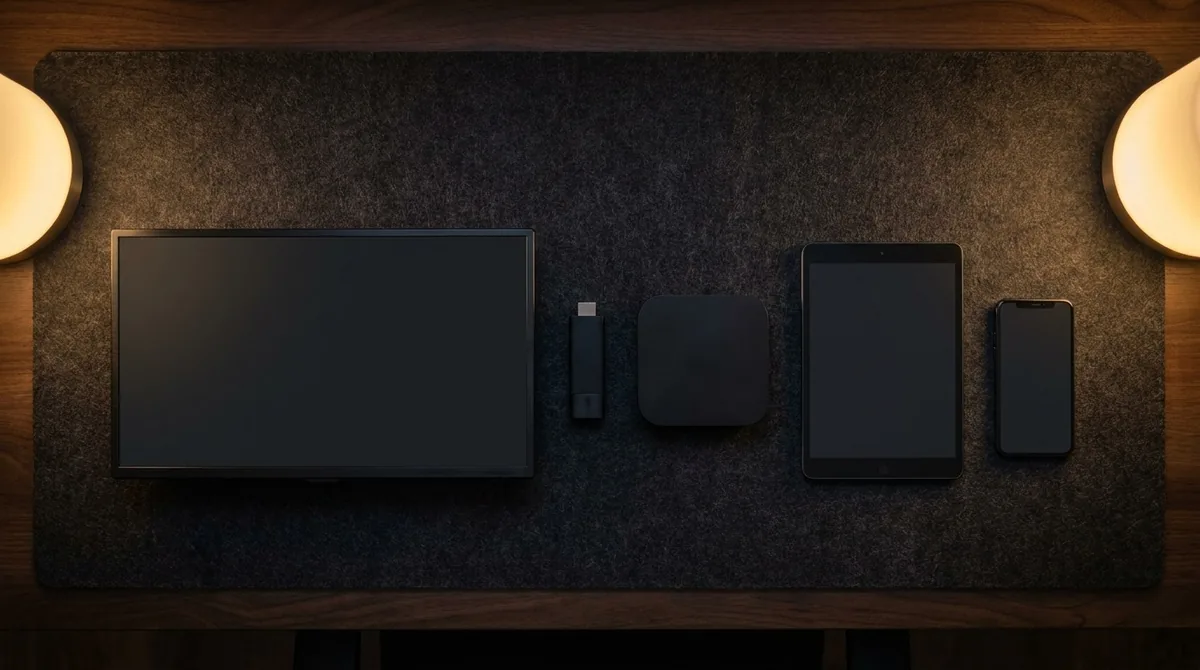
One trial covers one device at a time, so if you're deciding between a Fire TV Stick, a smart TV app and a phone, it's worth picking deliberately rather than whichever is closest to hand.
Test the device you'll actually keep using. If the plan is to replace cable on the living-room TV, test there — a phone result doesn't tell you how the main screen will perform, and a phone's smaller screen and different decoder can mask picture issues a large TV won't.
Older hardware is the harder test, not the easier one. If you're deciding whether an aging smart TV or box can still keep up, test on that device specifically rather than on a new phone that will obviously cope fine. A weak result there is useful information, not a reason to retest somewhere easier.
If you're testing a Fire TV Stick, know which generation you have first. The 2026 Fire TV Stick HD and 4K Select run a different operating system (Vega OS) from the 4K Plus and 4K Max (Fire OS) — see the Fire TV Stick guide for what that changes about setup. It doesn't affect whether the trial works, only which installation steps apply.
How to request it
The whole process runs over WhatsApp rather than a signup form, mainly because it means a real person can match the login to the device you're actually testing on, instead of sending a generic set of instructions that may not apply.
1. Message WhatsApp. Send a message to +1 672-202-7926 saying which device you'll test on — Fire TV Stick, Samsung or LG smart TV, Android box, phone or computer. The device matters because it decides which app you'll be sending login details for.
2. Get your login. A server address, username and password (or a single M3U link) arrive by message, usually within a few minutes during normal hours.
3. Install a player and sign in. See the Fire TV Stick guide or the smart TV guide for the exact steps on your device — the process is the same one a paying subscriber follows.
What to actually test in 24 hours
A picture that loads once tells you almost nothing. These four checks tell you whether the service will still work on a Sunday afternoon with three other things running in the house.
Test at the time you'll actually watch. Try a channel during the exact hour you'd normally watch it — evening, or during a live game — not first thing in the morning when your street's connection is under no load. A stream that's smooth at 10am and stutters at 8pm is telling you something real about peak-time capacity, and a same-time test is the only way to see it.
Watch one live game or live news broadcast, not just on-demand. Live and on-demand are delivered differently, and live is the harder case — it's the one that actually matters if sports is why you're switching.
Switch channels rapidly a few times. A provider with a thin server backend often shows it here first: slow channel changes or a brief freeze on switch, before anything else goes wrong.
Try it on the actual device you'll keep using. Performance on a five-year-old Fire TV Stick and a current-generation one is not the same test. If you plan to watch mainly on a phone, test on the phone — not just on whichever device was easiest to set up first.
Trial mistakes worth avoiding
Most disappointing trial reports trace back to one of these, not to the service itself:
Testing only during the day. A connection that's idle at noon looks nothing like the same connection at 8pm when the rest of the house is also streaming, gaming or on a video call. If you only ever test in a quiet window, you've tested a condition you'll rarely actually be watching in.
Never testing the actual event you care about. If the whole point is Sunday football, watching a random weekday afternoon channel during the trial doesn't answer the question. Time the trial, where possible, to land on or near the broadcast you actually want to judge it against.
Judging the whole service from one channel. A single channel having an off moment happens on any provider, including major cable and satellite services. Check two or three unrelated channels before drawing a conclusion, so one bad source doesn't stand in for the whole subscription.
If something doesn't work during the trial
The same isolate-the-variable approach that applies to any streaming setup applies here — see the Fire TV Stick guide for the fuller version. In short: if one channel buffers and others don't, that's the channel's own source, not your connection. If the picture is fine on-demand but struggles live, that points at peak-time load rather than the app. If switching to a wired connection or a different device changes the result, you've found the actual variable. None of clearing an app's cache, moving to ethernet or running a VPN is a guaranteed fix on its own — each addresses a different possible cause, and only one may apply.
If nothing resolves it, message WhatsApp during the trial rather than after it expires — a live account is far easier to diagnose than one that's already timed out. Say what you already tried (a different channel, a different device, a wired connection) so the reply can rule those out rather than suggesting the same things again. The USAStreamNow homepage also has the full FAQ and plan comparison if you want more detail before requesting anything.
What happens when it ends
The trial account stops working automatically 24 hours after activation. You are not charged, and nothing renews on its own — there's no card on file to renew from in the first place. If you want to continue, a subscription is $15 for one month, $50 for six months, or $65 for twelve months, which works out to $5.42 a month averaged over the year. The USAStreamNow homepage has the full pricing breakdown. There's no pressure either way — the trial exists so you can decide with real information, not a sales pitch.
| What you get | Trial | Paid plan |
|---|---|---|
| Channel list | 30,000+, same list | 30,000+, same list |
| Picture quality | Same as paid | Same as trial |
| Devices supported | Any one device | Any device, same login |
| Duration | 24 hours | 1, 6 or 12 months |
| Card required | No | Only at checkout |
FAQ
The questions we hear most often about the free trial, answered plainly.
Do I need a credit card for the free trial?
No. The trial is requested over WhatsApp and no payment details are collected to activate it. It simply stops working after 24 hours.
Can I watch live sports during the trial?
Yes, the trial includes the same channel list as a paid subscription, so any live sport carried on the service is included.
What happens if I don't cancel before the trial ends?
Nothing happens automatically either way — there is no card on file and no auto-renewal. The account simply stops working, and you can message WhatsApp separately if you decide to subscribe.
Can I get a second trial if the first one didn't work on my device?
Message WhatsApp and explain what happened. If the issue was a setup problem rather than the service itself, a short second trial is reasonable to ask for.
Does the trial work on a Fire TV Stick with Vega OS?
Yes. The main player apps install from the Amazon Appstore the same way on every current Fire TV Stick, trial or paid. See the Fire TV Stick guide for the exact setup.
How long does it take to get trial login details?
Usually a few minutes after messaging WhatsApp during normal hours. Outside of that it can take longer — if you haven't heard back in a while, send a follow-up rather than assuming it was missed.
Request your free trial now
24 hours, no card required. Message WhatsApp and tell us your device to get started.
Get StartedWhatsApp